How to Create a Google Play Developer Account
Last updated: October 23, 2025
To host an app in the Google Play Store, you will need to create a Google Play Developer account. Let us show you how.
Note:
1. You will be asked to pay a one-time $25 enrollment fee directly to Google.
2. The account owner role cannot be changed once created, so we recommend using a shared company email address or the company owner's email address and phone number during the registration process.
Before we get started:
Step 1: Navigate over to, https://play.google.com/console/signup
Step 2: Please sign up using the Google Account you would like your Google Play Developer account to be associated with.
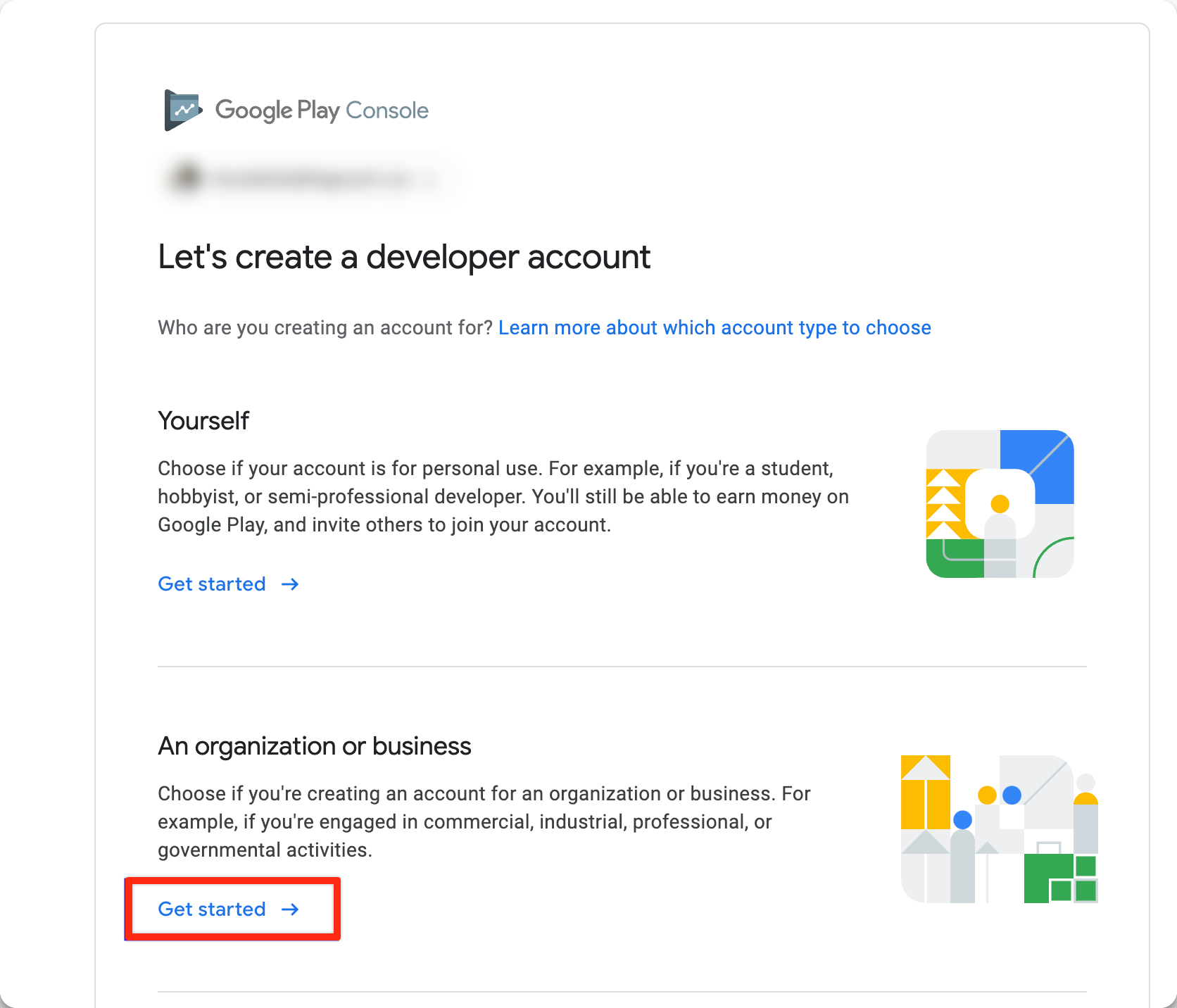
Step 3: Please make sure to select ‘Organization or Business' as we do not support individual accounts.
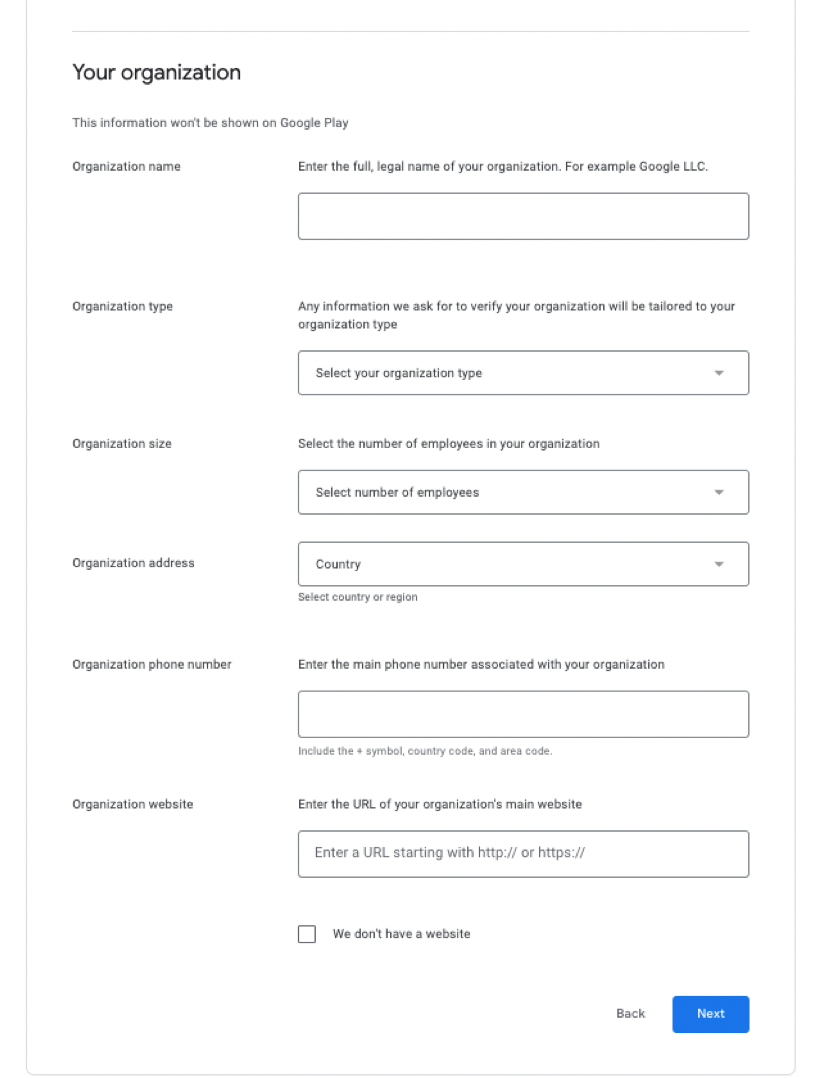
Step 4: Please fill out your organization information:
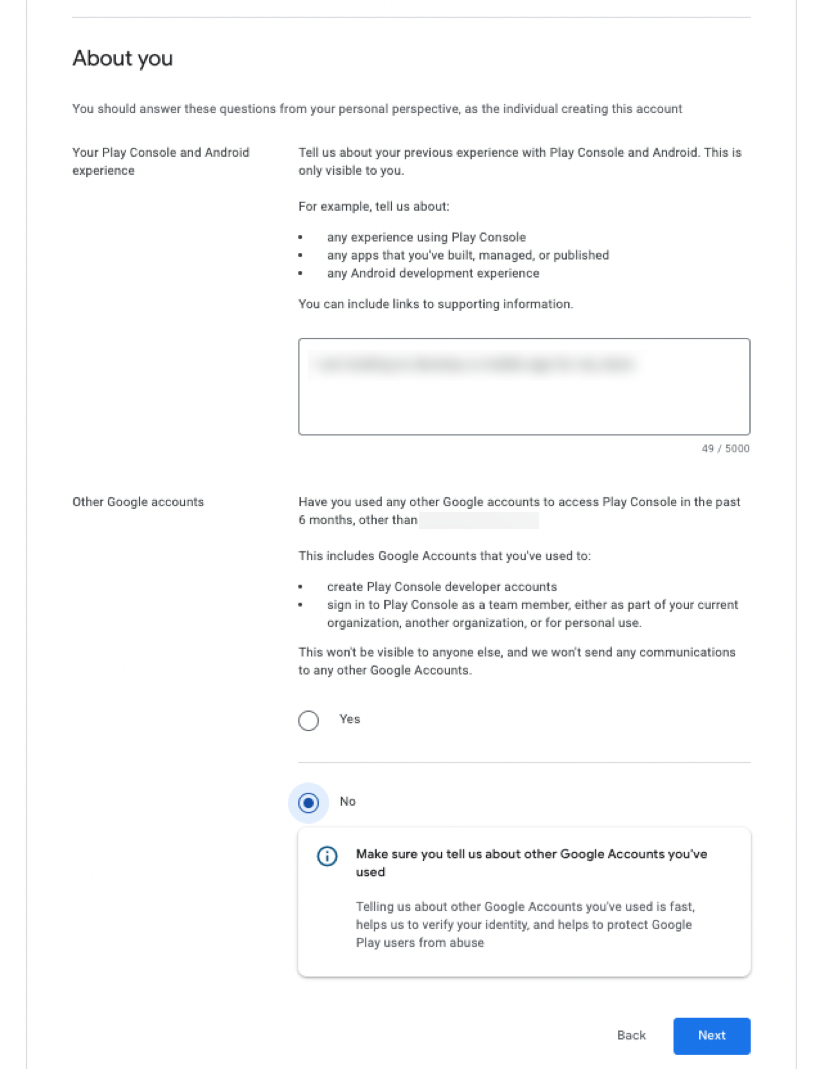
Step 5: Next, please complete the 'About you' section:
Step 6: Complete the 'Apps' section:
Here are the key details:

Number of apps: 1
Please answer 'No' for "Earning money on Google Play"
Please select 'None of the Above' for "App Categories"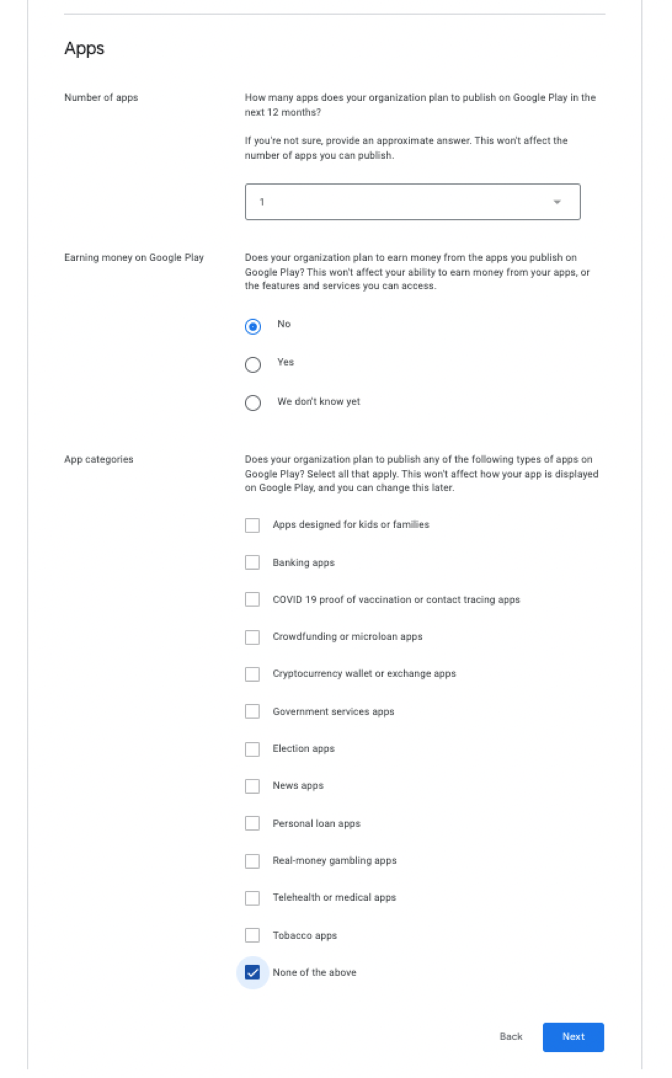
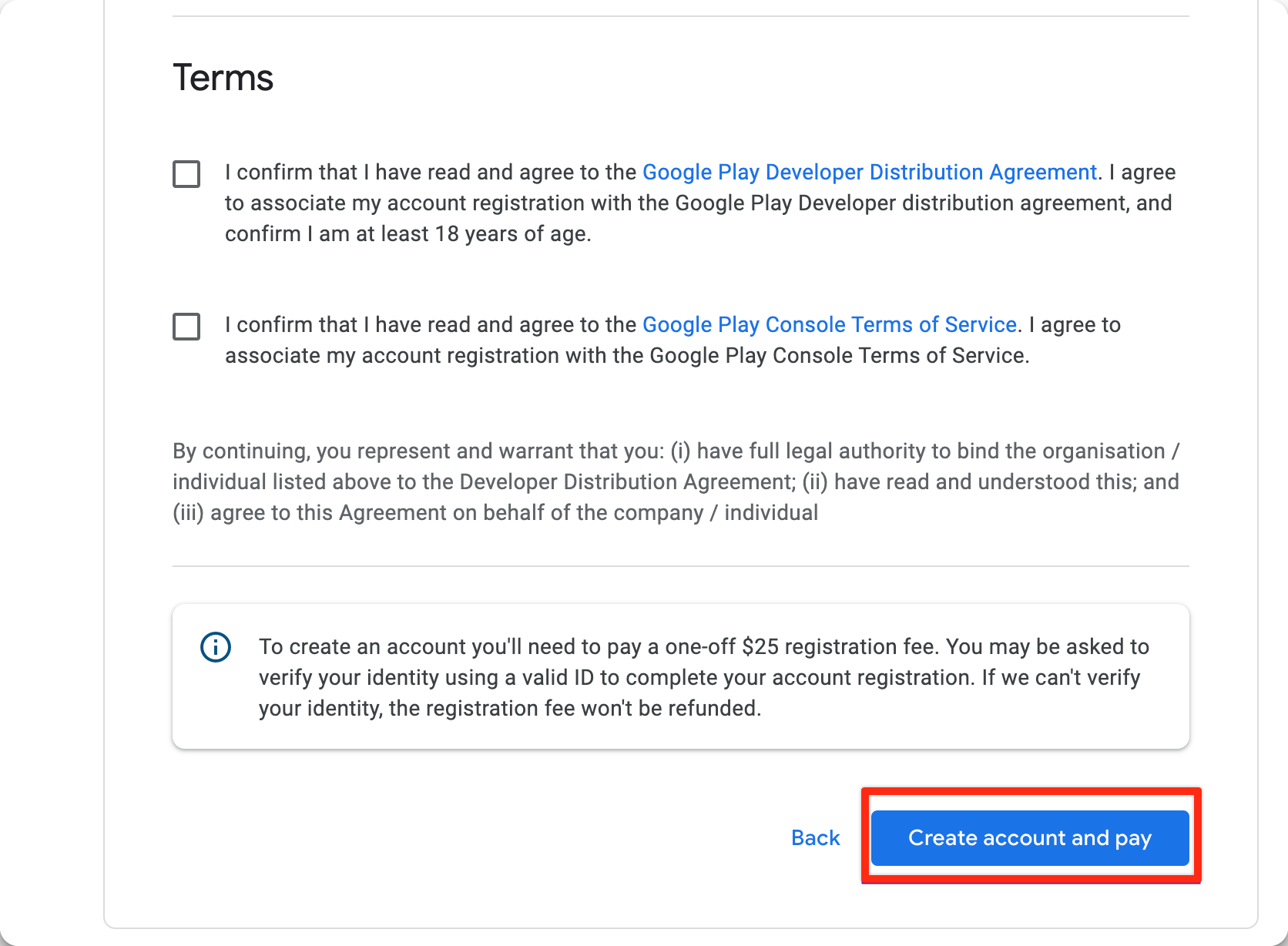
Step 7: Now, accept the terms of conditions and select ‘Create an account and pay'.