Invite FUEGO to Your Google Play Console
Last updated: October 23, 2025
This article will walk you through the steps to invite FUEGO to your Google Play Console.
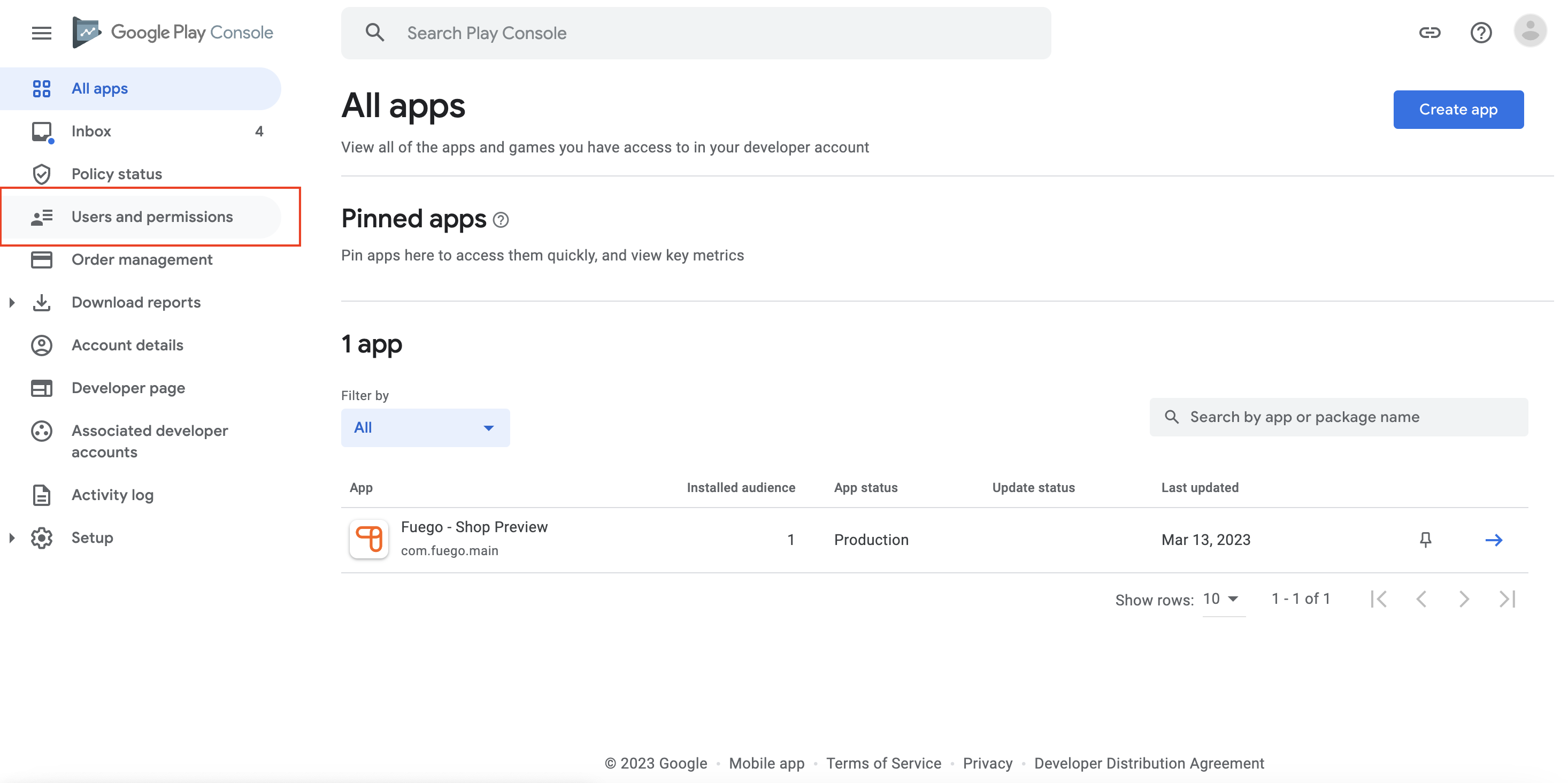
Step 1: Please navigate to your Google Play Console account and select ‘Users and Permissions’ on the left-hand side.
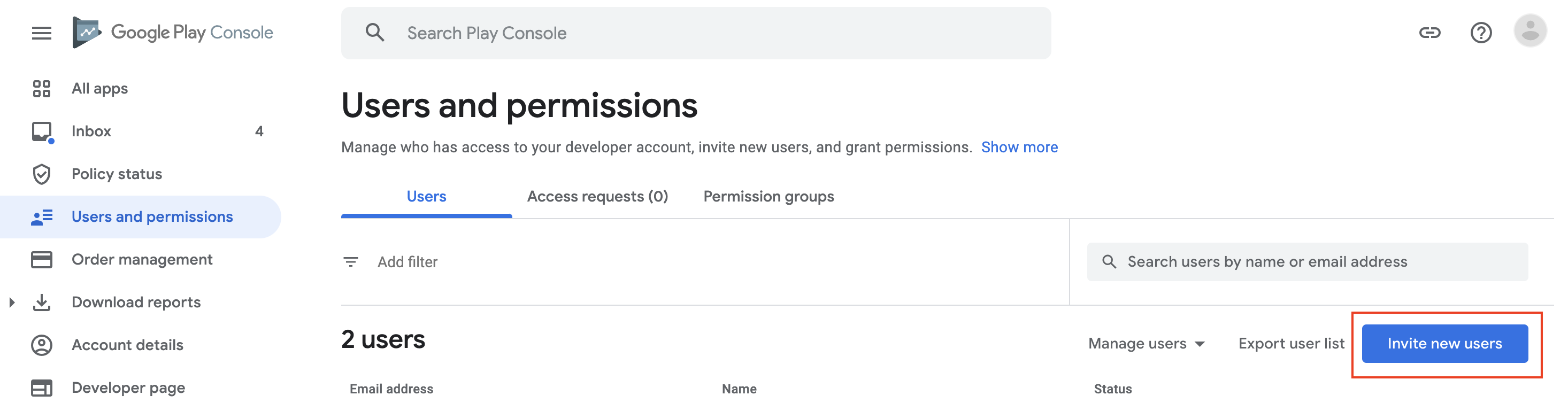
Step 2: Click ‘Invite new users’.
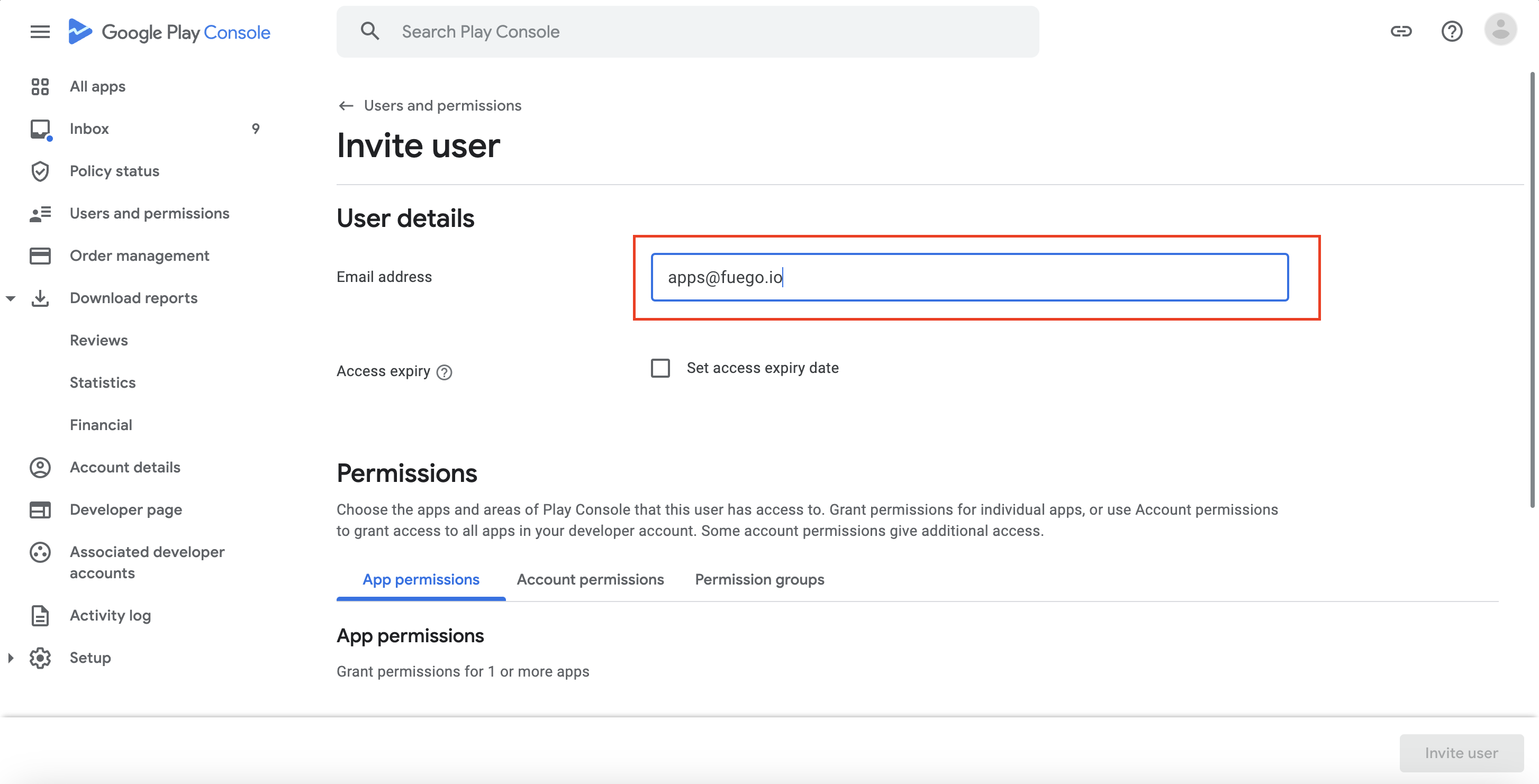
Step 3: Add apps@fuego.io
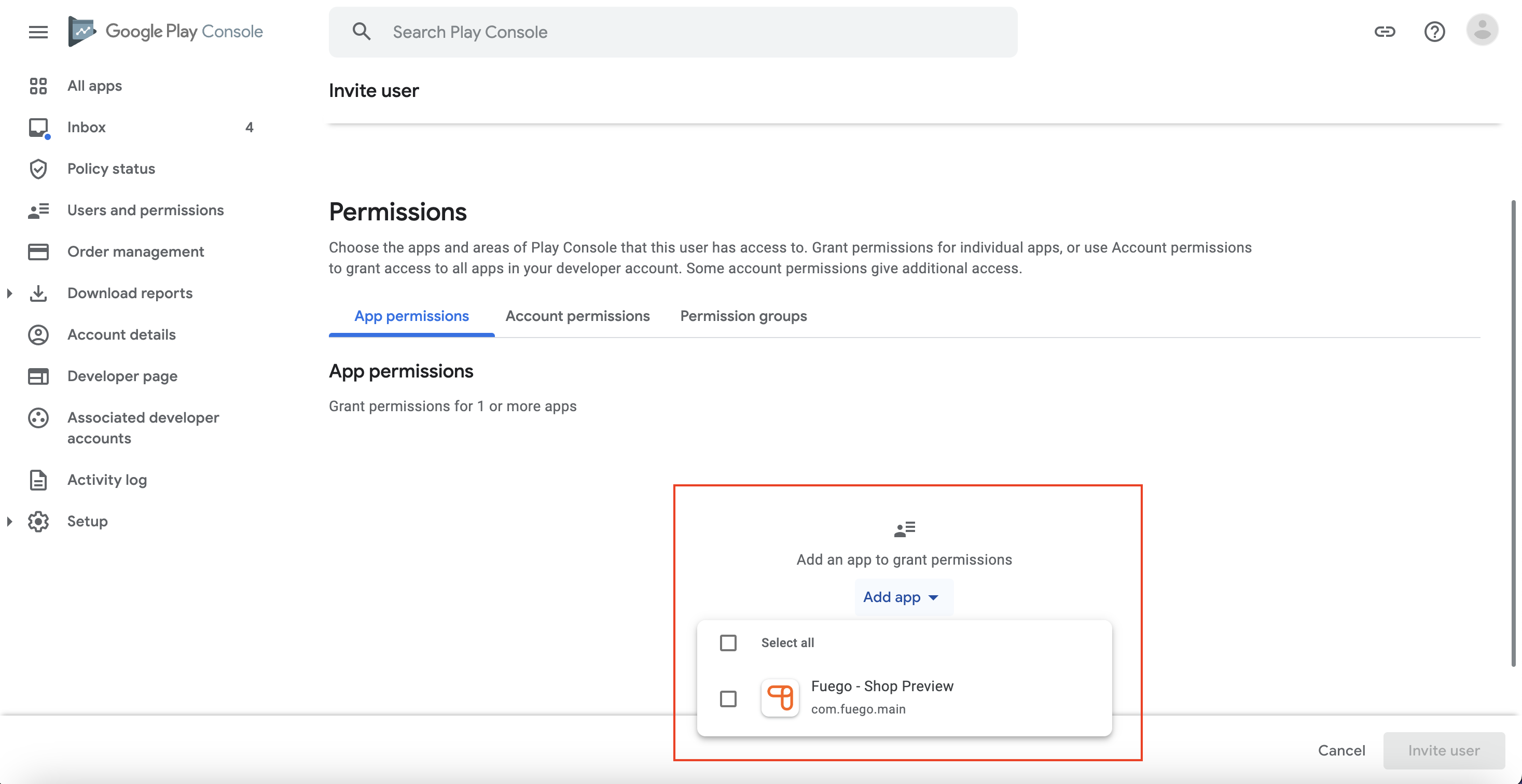
Step 4: Select your app (If you don't already have an app published, please select the Account Permissions tab and grant admin access).
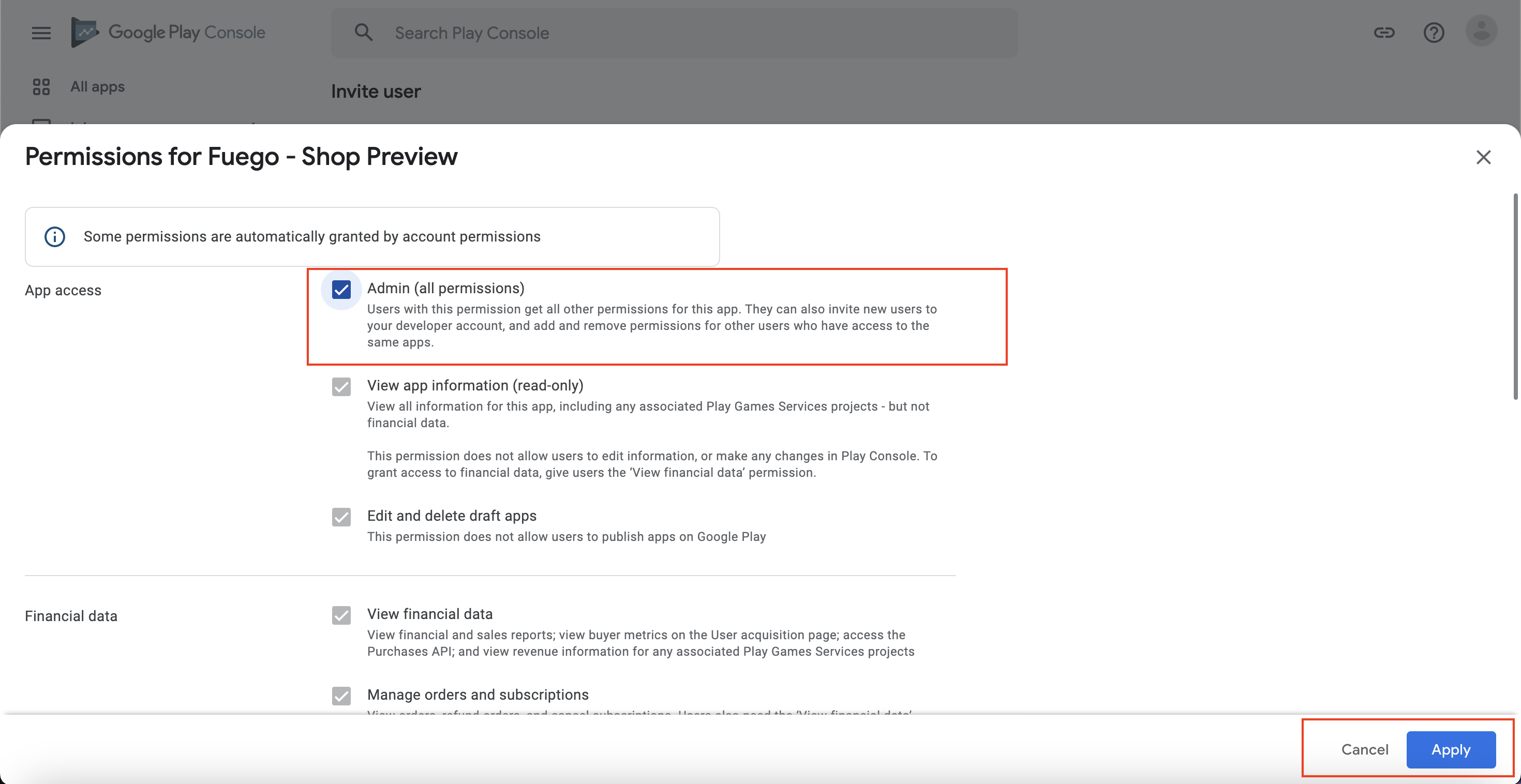
Step 5: Grant "Admin" privileges and click "Apply".
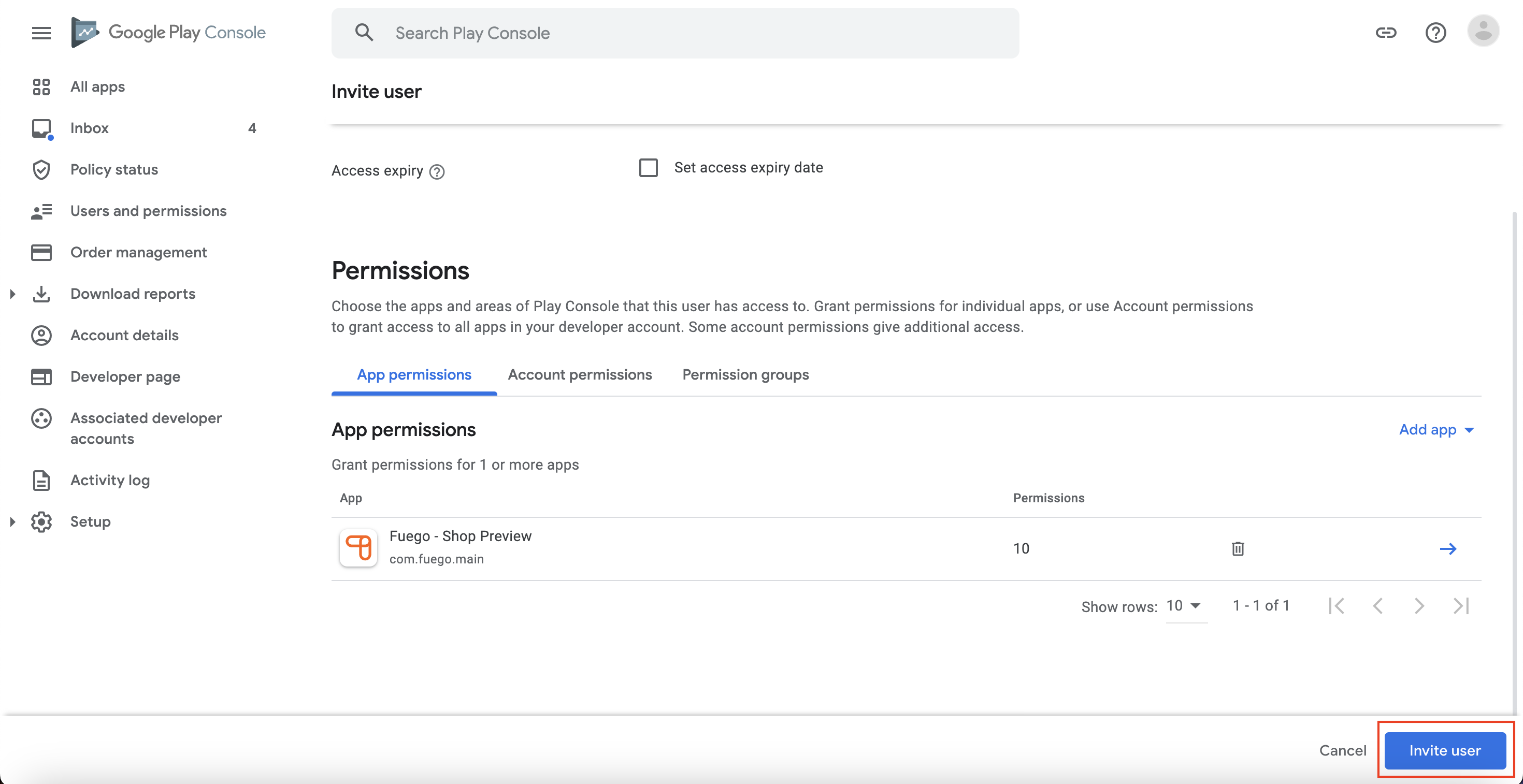
Step 6: Click "Invite User"
Once you have invited your dedicated app implementation specialist, we will reach out to you regarding the next steps.